


I)Introduction and pre-requisites
One of the ambitions of my homelab is to start working with APIs more. I would like to start trying to integrate TrueNAS into my Proxmox Environment deeper than it is currently, perhaps even start dabbling with GUI elements at some point.
To be quite honest, I feel less than impressed with the documentation TrueNAS provides around their API and how to get started with it. I am admittedly not a developer, but it seems sparse at best. Google Gemini has been helpful with this gap as of now, especially around things like syntax.
I’ll start by linking some of the documentation:
https://github.com/truenas/api_client/tree/master/examples
If you have a TrueNAS machine the API is documented offline as well:
http://<SERVERIP>/api/docs/current/
If you don’t have access to the machine, you can get it here:
https://api.truenas.com/
A few words on versions of TrueNAS Software. The API has changed as of 25.04, and seems to have had some fixes included in the standard releases. If you’re using the API and your version is below 25.04 it is advised to understand the implications of upgrading as per the documentation here. If you are not running APIs and/or are on a newer version than 25.04, upgrading is advised. This can be done easily from the GUI by going to System->Update. The screen shots in this post are from 25.10.2.1.
II)Configuring TrueNAS
To run API based commands, a user must have an API key created against it. truenas_admin can be used for this, however there are key reasons not to. The first reason is that it is better to create a key for every interaction source for logging reasons. The second is that access can be limited for certain functions. As an example, a monitoring system should not be provisioning storage and doesn’t need read-write access.
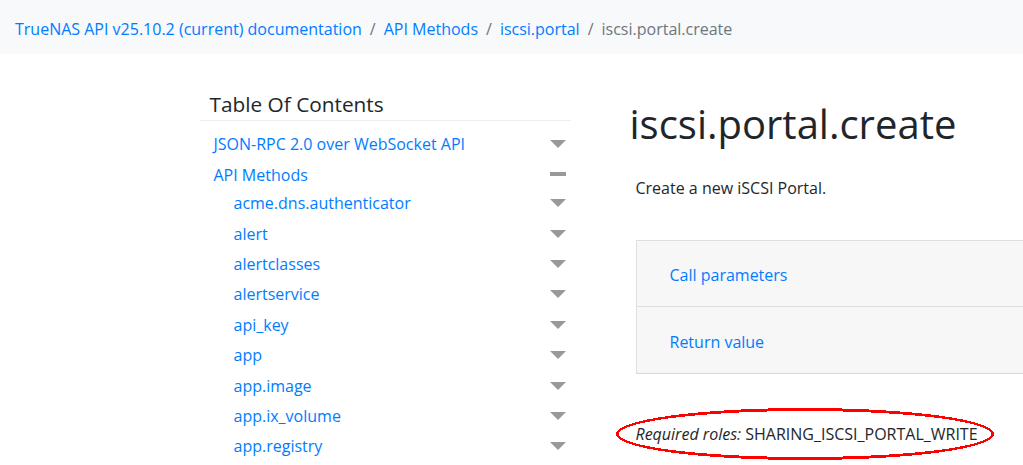
One of the nice things I can say about the documentation is it includes the roles that are required for a method within the page of that method. The example above is for the iscsi.portal.create method. There is a lot of granularity, which more advanced users in production environments will appreciate.
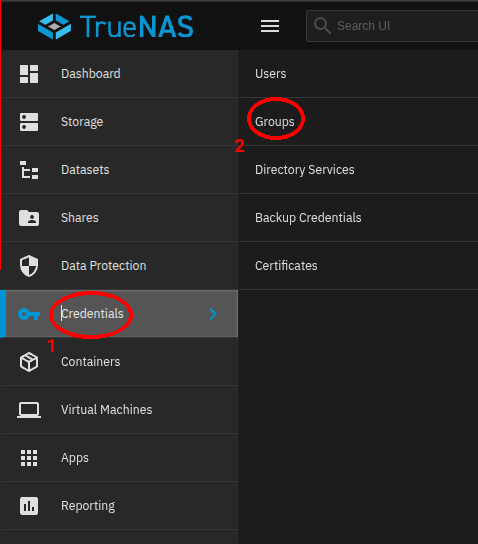
To create a new privilege, go to Credentials->Groups.
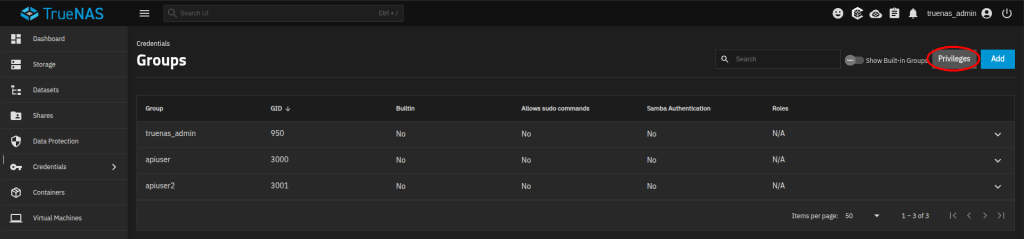
From the Groups menu, click on Privileges. This will open the Privileges menu.
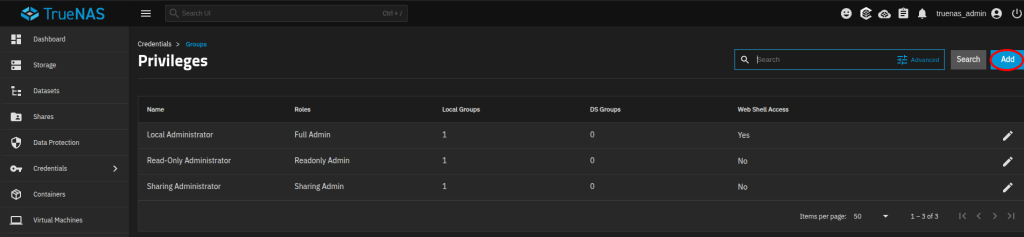
Click add to add a new privilege.
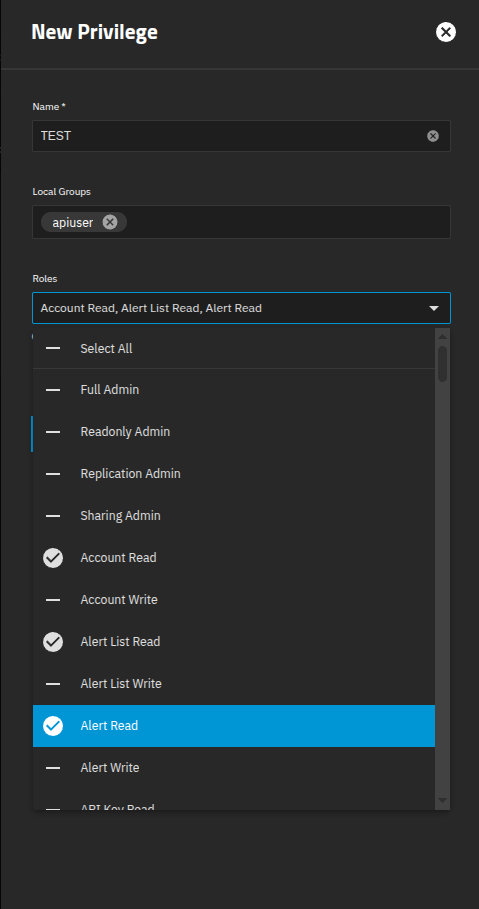
Within the menu give a name. Assigning a local group is optional, and can be done from within the group later or done at user creation if a new group is created for that user. Check the desired roles, then confirm the selection. Due to this being a non-production system, a default administrator role will be used in this post.
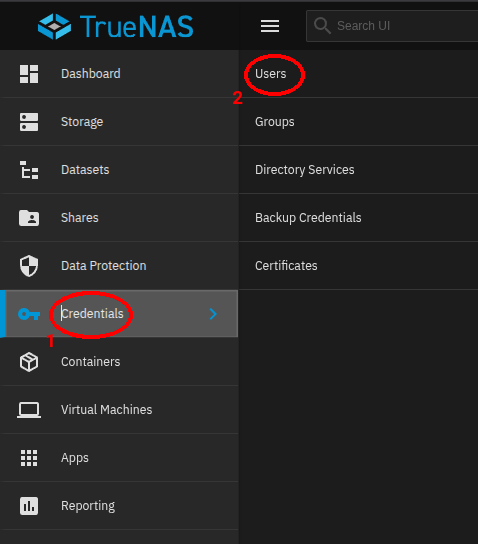
To create the API user, go to Credentails->Users.
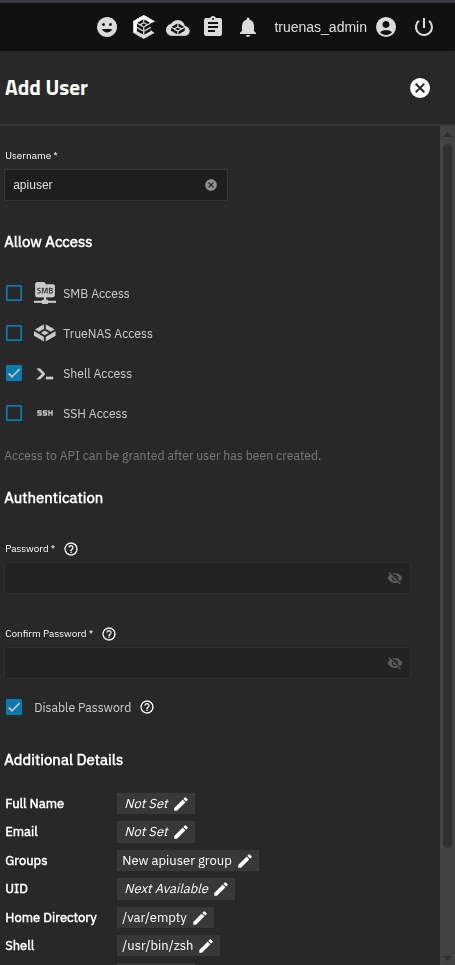
Creation of a new user has multiple items. Shell access is required for API function, although it is noteworthy that this is not SSH access. TrueNAS will let you make an API key without shell access enabled for an account, and it won’t work. A password can be set, but it is advised to leave it disabled for security reasons.
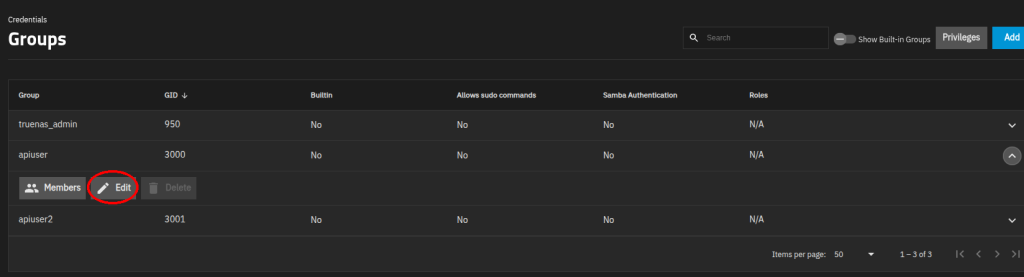
If an existing group wasn’t used, or if the user’s group wasn’t added to the privilege on its creation, go to the Groups menu. Expand the group, and click Edit.
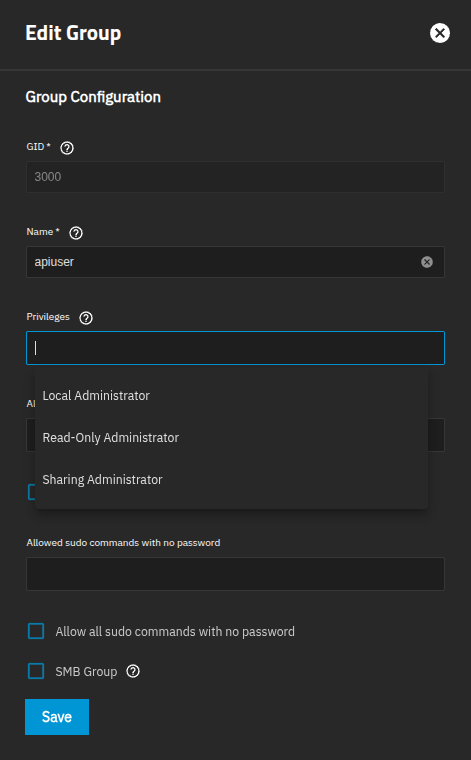
Privileges can be altered from the menu. Select the desired level of access and save.
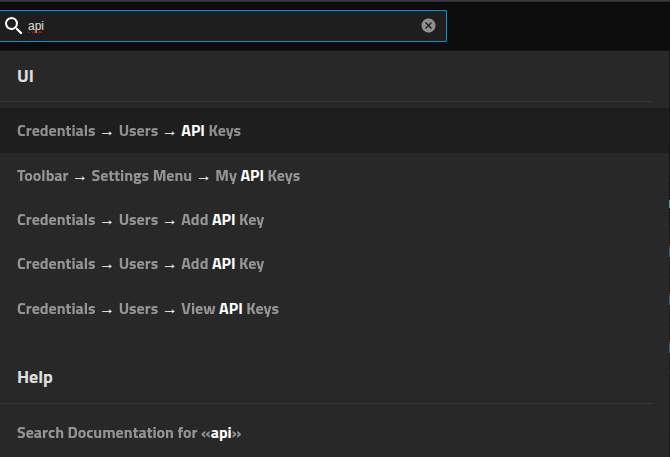
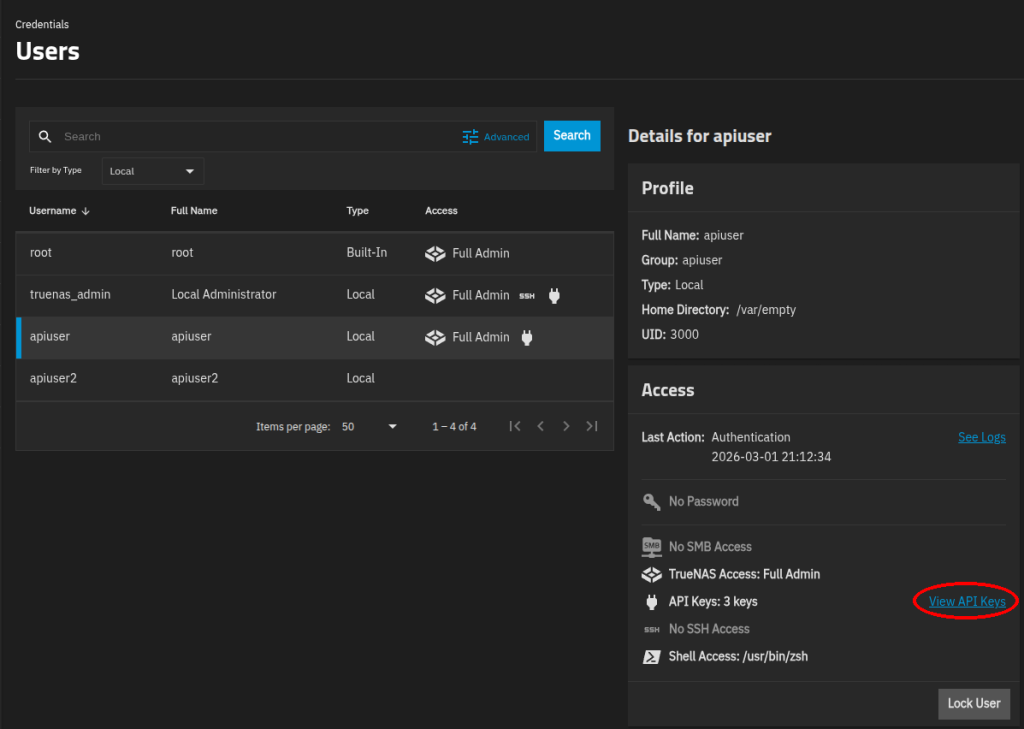
After this is done it is time to create the API keys. There are a few ways to access the API key menu, the easiest is to probably just search for API and go to Credentials->Users->API Keys although you can click through to the menu by opening up a user then clicking on the “API Keys” option.

Add a new API key.
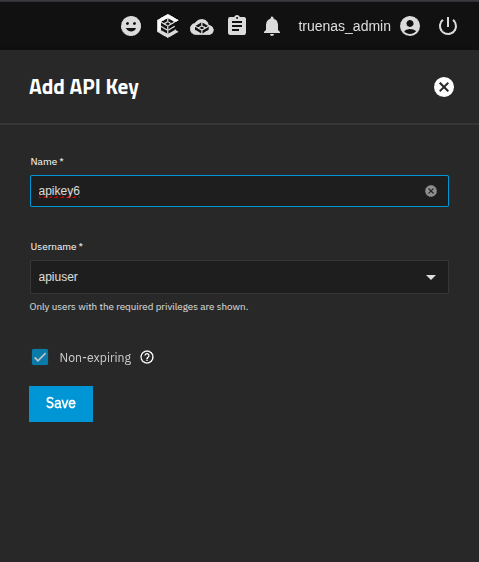
Give the key a name, choose a user to associate the execution of API commands with then select okay. If a role is for a limited period of time, the API key can be set to expire.
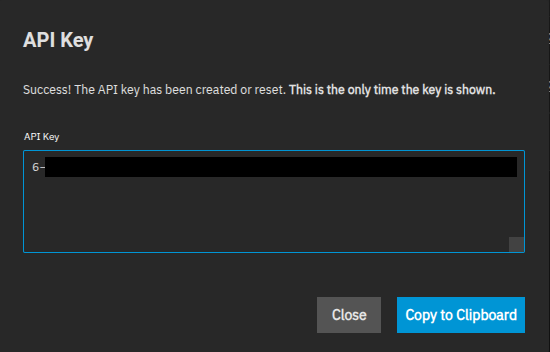
After confirming options, the key will be presented. As the notes say, this is the only time this key will be shown. If the key is lost, it will have to be regenerated via the “Reset” option. The number at the beginning is the number of API keys that have been generated.
III)Running Some API Commands
Now that the keys have been made and permissions set, lets run some commands.
midclt –uri wss://192.168.100.128/api/current –insecure -K /home/user/Documents/Homelab/apikey6 call disk.temperatures ‘[“sda”,”sdb”,”sdc”,”sdd”,”sde”,”sdf”]’ | jq
This doesn’t look like code! Yeah, I’m kind of cheating here. For a test this is more than good enough, and for a lot of sysadmins this will also be an adequate way of interacting with the API. Going into midclt it’s a wrapper for calling API functions. In my system this returns nulls, because I’m using passed through disks. jq is used to make the formating human readable instead of a jumbled mess.
midclt –uri wss://192.168.100.128/api/current –insecure -K /home/user/Documents/Homelab/apikey6 call disk.details | jq
{
“used”: [
{
“name”: “sda”,
“sectorsize”: 512,
“number”: 2048,
“subsystem”: “scsi”,
“driver”: “sd”,
“hctl”: “0:0:0:0”,
“size”: 34359738368,
“mediasize”: 34359738368,
“vendor”: “QEMU”,
“ident”: “drive-scsi0”,
“serial”: “drive-scsi0”,
“model”: “QEMU_HARDDISK”,
“descr”: “QEMU_HARDDISK”,
“lunid”: null,
“bus”: “SCSI”,
“type”: “HDD”,
“blocks”: 67108864,
“serial_lunid”: null,
“rotationrate”: null,
“stripesize”: null,
“parts”: [],
“dif”: false,
“identifier”: “{serial}drive-scsi0”,
“enclosure”: {},
“partitions”: [],
“devname”: “sda”,
“exported_zpool”: null,
“imported_zpool”: “boot-pool”,
“duplicate_serial”: []
},
.
.
.
.
Without using jq, the output looks like:
midclt –uri wss://192.168.100.128/api/current –insecure -K /home/user/Documents/Homelab/apikey6 call disk.details
{“used”: [{“name”: “sda”, “sectorsize”: 512, “number”: 2048, “subsystem”: “scsi”, “driver”: “sd”, “hctl”: “0:0:0:0”, “size”: 34359738368, “mediasize”: 34359738368, “vendor”: “QEMU”, “ident”: “drive-scsi0”, “serial”: “drive-scsi0”, “model”: “QEMU_HARDDISK”, “descr”: “QEMU_HARDDISK”, “lunid”: null, “bus”: “SCSI”, “type”: “HDD”, “blocks”: 67108864, “serial_lunid”: null, “rotationrate”: null, “stripesize”: null, “parts”: [], “dif”: false, “identifier”: “{serial}drive-scsi0”, “enclosure”: {}, “partitions”: [], “devname”: “sda”, “exported_zpool”: null, “imported_zpool”: “boot-pool”, “duplicate_serial”: []}, {“name”: “sdb”, “sectorsize”: 512, “number”: 2064, “subsystem”: “scsi”, “driver”: “sd”, “hctl”: “1:0:0:2”, “size”: 1199705161728, “mediasize”: 1199705161728, “vendor”: “QEMU”, “ident”: “0000-0000-0000”, “serial”: “0000-0000-0000”, “model”: “QEMU_HARDDISK”, “descr”: “QEMU_HARDDISK”, “lunid”: null, “bus”: “SCSI”, “type”: “HDD”, “blocks”: 2343174144, “serial_lunid”: null, “rotationrate”: null, “stripesize”: null, “parts”: [], “dif”: false, “identifier”: “{serial}0000-0000-0000”, “enclosure”: {}, “partitions”: [],………
Actions can be taken as well as examination of data from the TrueNAS System. An example swiped from the documentation:
midclt –uri wss://192.168.100.128/api/current –insecure -K /home/user/Documents/Homelab/apikey3 call user.create ‘{“full_name”: “John Doe”, “username”: “user”, “password”: “pass”, “group_create”: true}’ | jq
output:
{
“id”: 75,
“uid”: 3002,
“username”: “user”,
“unixhash”: “$6$rounds=656000$oabKO1rS/8KCLY/Q$.iWPMgbEdAJTFQLi1lSdXsap551imOU1FaVMFVcpIZXc9SgwaJ92gXVGsIJOknLxW.mOcKuPtRLFnFnSgArJh0”,
“smbhash”: “36AA83BDCAB3C9FDAF321CA42A31C3FC”,
“home”: “/var/empty”,
“shell”: “/usr/bin/zsh”,
“full_name”: “John Doe”,
“builtin”: false,
“smb”: true,
“userns_idmap”: null,
“group”: {
“id”: 114,
“bsdgrp_gid”: 3002,
“bsdgrp_group”: “user”,
“bsdgrp_builtin”: false,
“bsdgrp_sudo_commands”: [],
“bsdgrp_sudo_commands_nopasswd”: [],
“bsdgrp_smb”: false,
“bsdgrp_userns_idmap”: 0
},
“groups”: [
91
],
“password_disabled”: false,
“ssh_password_enabled”: false,
“sshpubkey”: null,
“locked”: false,
“sudo_commands”: [],
“sudo_commands_nopasswd”: [],
“email”: null,
“local”: true,
“immutable”: false,
“twofactor_auth_configured”: false,
“sid”: “S-1-5-21-615739097-2431297770-4271785851-20075”,
“last_password_change”: {
“$date”: 1773026892000
},
“password_age”: 0,
“password_history”: [],
“password_change_required”: false,
“roles”: [],
“api_keys”: [],
“password”: “pass”
}
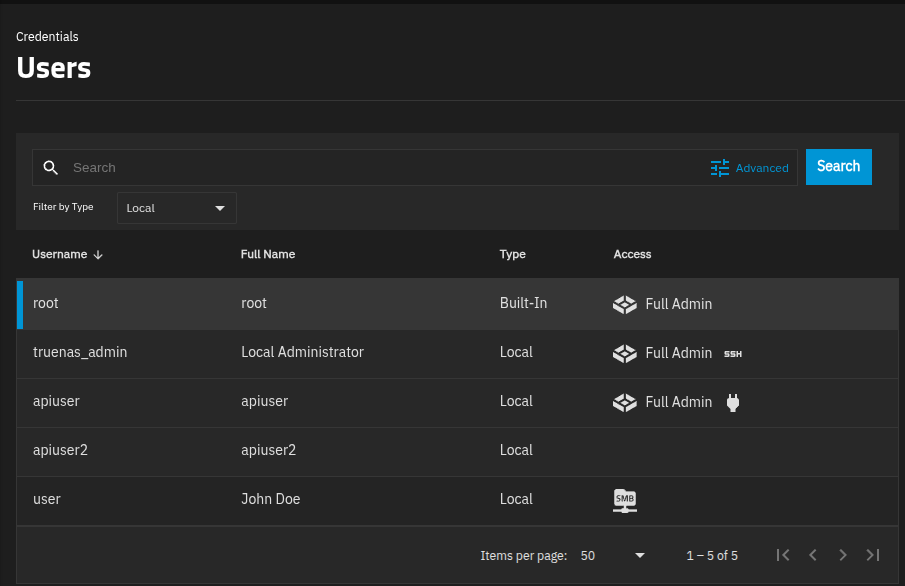
And the newly created user can be seen in the GUI’s user menu.
Some of these items may be more familiar to programmers, but bear mentioning:
- Arrays need to be enclosed with single quotes and brackets. As an example, a single drive would be ‘[“sda”]’ but a set of drives would be ‘[“sda”,”sdb”]”
- Passing JSON through is similarly strict: EX ‘{
- In the file that contains the key, no formatting is used. It’s just the key as presented by TrueNAS.
- The formatting returned is JSON. As mentioned jq makes it human readable in BASH.
- Input is in JSON as well. The inputs are listed in the programming guide.
- As-is the midclt command does not seem to be friendly to taking a file as input. I’ve been messing around with it in BASH and haven’t had much luck. There does not seem to be a native way to ingest JSON via the CLI currently.
- It is critically important that any API keys in files have absolute minimum permissions. You are storing a password to your storage system on a server. I’ll say that I feel like this integration is taken for granted in a lot of systems, even at an enterprise level. An increase in the surface area available is unavoidable when automating. A robust set of user roles as above is a fantastic idea. I personally would strongly advise 600 permissions on the API key file which will restrict access to the explicit viewer.
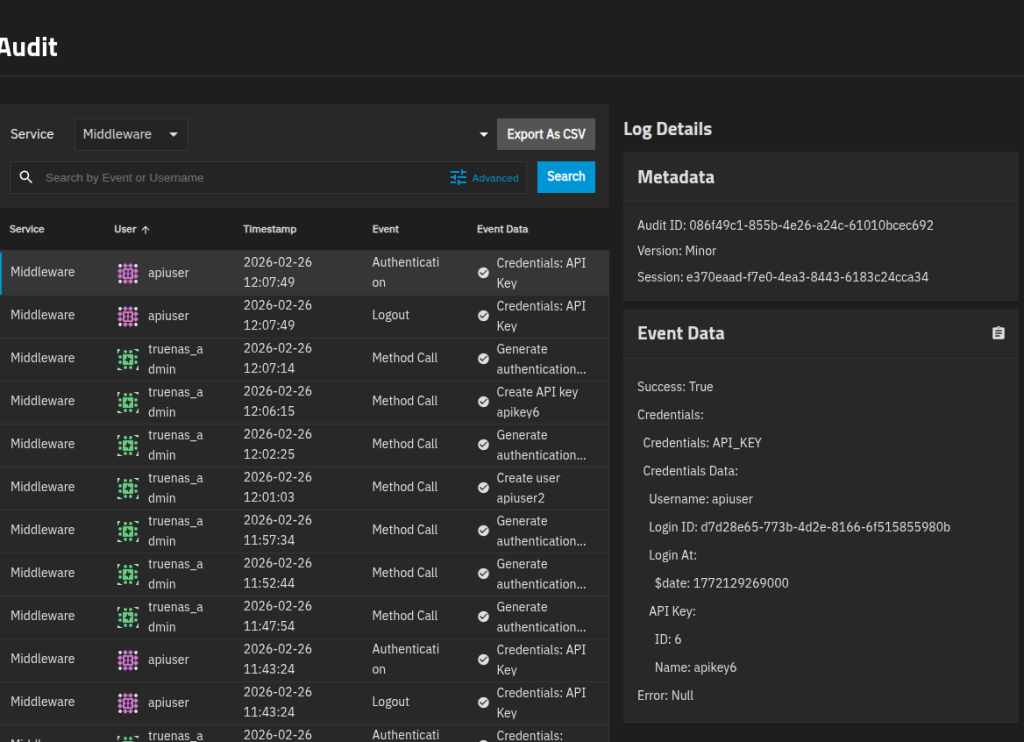
The audit logs for the API user show that a login event happened. One thing I will say is that the logs don’t show the action taken on the system, nor is there a readily apparent way to enable it. /var/log/nginx.log seems to have some of the calls in it in a limited aspect, but nothing clearly consistent that can be tailed.
IV)Conclusion
This is a high level guide on how to set up TrueNAS for API use and to run some basic commands against TrueNAS. It’s pretty cool, but the ecosystem (such as documentation) seems under cooked at this point unless you’re deep into code, and maybe even then. Better documentation and examples would greatly improve things which I suspect will come with time.
What’s next for me is likely getting a script together to actually do some setup on a TrueNAS Filer after the pool is created. This would be useful for storage automation around data store creation. With the difficulties passing data via CLI to midclt, I suspect going to Python would be a better way to use their API integration at this time.